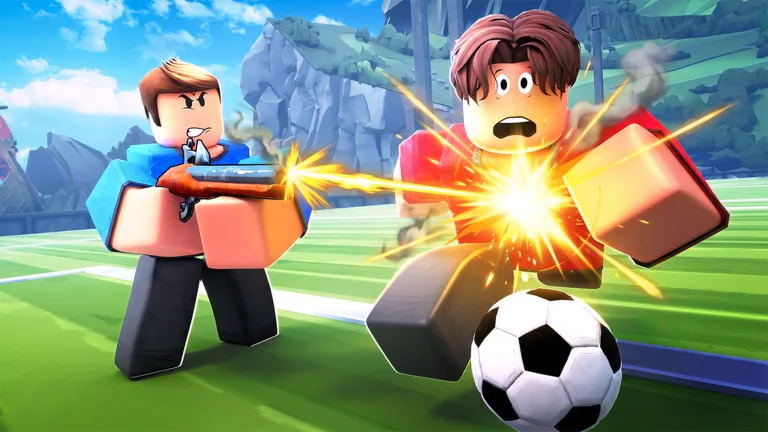
Illegal Soccer How to Cancel a Shot: Master These Pro Techniques
Learn how to cancel a shot in Illegal Soccer on Roblox to deceive goalkeepers. Discover expert tips, shooting combos, and gameplay mechanics to dominate.
Have you ever found yourself frustrated because the goalkeeper blocked your shot every single time? In the fast-paced environment of Illegal Soccer, knowing illegal soccer how to cancel a shot is the difference between a wasted opportunity and a legendary goal that leaves your opponents typing "hacks" in the chat.
Mastering advanced mechanics is essential because, at higher ranks, goalkeepers are skilled at reading standard shooting patterns. By learning to fake out the keeper, you force them to commit to a dive early, leaving the rest of the net wide open for a clinical finish.
Why You Must Master Shot Canceling
In competitive matches, predictability is your greatest enemy. If you simply run up and shoot, any decent player acting as the goalkeeper will easily predict your trajectory. The ability to cancel a shot is a psychological weapon; it forces the defender to react to a threat that isn't actually there.
According to veteran community players, this technique is particularly effective against human goalkeepers who rely on visual cues like the "white line" trajectory indicator. When you initiate a shot and then cancel it, you create a "fake white line," causing the keeper to dive in the wrong direction.
Core Mechanics: How to Cancel a Shot
To successfully perform a shot cancel, you need to understand the relationship between your input keys and the game’s stamina system. Based on community feedback from experienced players, the process involves timing your dribble key precisely during the charge-up phase of your shot.
Step-by-Step Execution
Initiate: Hold your Left Mouse Button (LMB) to begin charging your power shot.
Commitment: Wait for the goalkeeper to react to the initial movement.
Cancel: Press your Dribble key (default is Spacebar) immediately before the ball leaves your foot.
Finish: Once the keeper dives in the wrong direction, aim for the opposite side and release your shot.
It is important to note that this technique requires practice. If you press the cancel key too late, you will fire the ball directly at the keeper. If you press it too early, you won't generate the "fake" animation required to deceive them.
Action
Input Control
Stamina Cost
Primary Use
Power Shot
Hold LMB
Moderate
Scoring from distance
Shot Cancel
Hold LMB + Space
Low
Deceiving the GK
Curve Shot
Hold MMB + Drag
Moderate
Bending around defenders
Quick Pass
RMB
Low
Maintaining possession
Advanced Shooting Techs to Combine with Canceling
Once you are comfortable with the basic cancel, you should integrate it into your offensive repertoire. The most effective players combine canceling with other advanced mechanics like the curve shot. You can find more details on official game updates and community discussions on the official Illegal Soccer Roblox page.
The Curve Shot Integration
The curve shot is another essential skill. By holding the Middle Mouse Button (MMB) while shooting and dragging your mouse, you can manipulate the ball's trajectory. When you merge this with a shot cancel, you get the "Fake Curve" maneuver.
The Combo Sequence:
Start a curve shot animation to draw the keeper to one side.
Hit the cancel key (Spacebar) to stop the shot.
Quickly re-aim to the open side and execute your real shot.
Managing Your Stamina for High-Level Play
A common mistake new players make is spamming actions, which drains their stamina bar rapidly. If you are out of stamina, you cannot perform complex maneuvers like flick shots or effective shot cancels.
Stamina Consumption Breakdown
Running/Sprinting: Constant drain.
Kicking/Shooting: Half-bar per action.
Dribbling: Full-bar per action.
Passing: Quarter-bar per action.
To maintain an offensive threat, always keep at least 25% of your stamina bar available for a potential shot cancel. If you run out of energy in front of the goal, you become a "sitting duck" for defenders.
Tip
Pro Stamina Management
Don't hold the sprint key constantly. Use it only to create separation. Use right-click (pass) instead of left-click (shot) when you are low on energy to keep the ball moving without exhausting your stamina pool.
Choosing the Right Abilities
Your choice of abilities can complement your shot-canceling playstyle. Based on community reports, here are the top three recommended abilities for offensive players:
Ability
Benefit
Best For
Flintlock
Multi-hit capability
Dribbling past defenders
Energy Drink
Faster stamina recovery
Sustaining pressure
Magnet
Better ball control
Keeping the ball close during fakes
Frequently Asked Questions (FAQ)
1. Does learning how to cancel a shot work against AI goalkeepers?
No, the shot cancel technique is primarily designed to deceive real players. AI goalkeepers in Illegal Soccer follow pre-programmed logic and will not be "faked out" by a canceled shot animation.
2. Is there a keybind for canceling that is better than Spacebar?
While Spacebar is the default, many competitive players rebind their keys to side-mouse buttons to ensure their fingers remain on the movement keys (WASD). Experiment with your settings to find what feels most responsive.
3. Why does my character keep shooting instead of canceling?
You are likely pressing the cancel key too late. The cancel command must be input while the "white line" or shot indicator is visible but before the animation finishes. Practice in the "Free Play" mode to get the timing down.
4. Can I use shot canceling with every type of kick?
Yes, you can apply this to standard shots, but it is most effective when paired with a curve or a fake-flick. Remember that every cancel consumes a small amount of stamina, so do not overdo it if you are already fatigued.