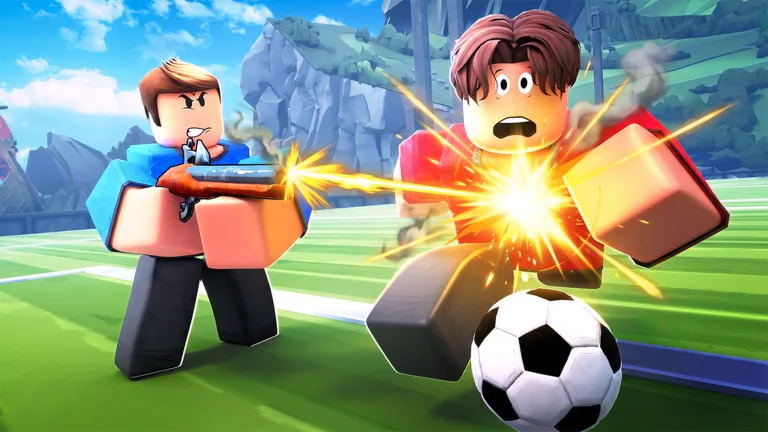
Fix Illegal Soccer Roblox Lag: Performance & Pro Tips Guide
Struggling with Illegal Soccer Roblox lag? Discover expert tips to optimize your gameplay, master advanced mechanics, and dominate the pitch with our guide.
Published: Illegal Soccer Wiki Editorial Team
Table of Contents
Are you tired of losing crucial matches in Illegal Soccer because of persistent stuttering or input delay? Dealing with illegal soccer roblox lag can turn an exhilarating, high-stakes match into a frustrating experience, but with the right optimizations, you can regain your competitive edge.
Optimizing your connection and settings is vital because Illegal Soccer is a fast-paced, physics-heavy experience where milliseconds determine whether you score or get tackled. In this guide, we will explore how to resolve illegal soccer roblox lag while providing professional strategies to help you climb the ranks in this chaotic Roblox sensation.
Understanding Performance: Why Does Illegal Soccer Lag?
Illegal Soccer by Repotted is a mechanically dense game that relies heavily on server-side physics for ball movement and player collisions. When your game feels sluggish, it is often due to a combination of network latency (ping) and the game's intensive rendering requirements.
Many players report that the game's "chaos" factor—where up to eight players are constantly tackling, shooting, and using items—can overwhelm a weak internet connection or a low-end device. To ensure you aren't fighting the game engine while trying to outplay your opponents, consider the following performance checklist.
Quick Optimization Checklist for Smoother Play
Action
Impact on Performance
Why it helps
Lower Graphics Settings
High
Reduces GPU strain and frame drops
Use Ethernet Connection
High
Stabilizes ping and reduces packet loss
Close Background Apps
Medium
Frees up RAM for Roblox client
Disable "Curve" Visuals
Low
Simplifies rendering during intense shots
Mastering Core Mechanics to Compensate for Delay
If you cannot completely eliminate illegal soccer roblox lag, you must adapt your playstyle. Pro players often use specific techniques that remain effective even when the server feels slightly unstable. By mastering the game's movement and stamina management, you can predict opponent actions before they happen.
Tip
Stamina Management
Never deplete your stamina bar entirely. Keep at least 25% reserve to ensure you can react to sudden tackles or perform a quick dribble when the ball suddenly teleports due to latency.
Essential Movement and Dribbling Techs
According to community reports, the most effective way to play through lag is to focus on "predictive positioning." Instead of chasing the ball blindly, position yourself where the ball is likely to bounce.
The Flick-Up Technique: Press Q to flick the ball. This is an excellent way to bypass defenders who are suffering from the same lag issues, as the aerial arc is harder to calculate than a grounded dribble.
The Right-Click Pass: Avoid left-clicking for short passes if you are lagging. Right-clicking uses significantly less stamina and is less prone to "input eating" caused by server lag.
Wall Bouncing: Use the arena walls to your advantage. If the server is jittery, a wall pass is more reliable than trying to dribble through a crowd.
Advanced Strategies: Beyond the Basics
To dominate in Illegal Soccer, you need to understand that the game is not just about raw skill—it’s about exploiting the game’s unique physics. Whether you are dealing with illegal soccer roblox lag or playing on a perfect connection, these advanced tactics will give you an advantage.
Ranking the Best Items for Competitive Play
Choosing the right loadout is crucial. Some items are far more effective at controlling the field, especially when you need to compensate for technical difficulties.
Item Name
Use Case
Rating
Flintlock
Dribbling & Multi-hit
S-Tier
Energy Drink
Stamina Recovery
S-Tier
Force Field
Defensive Dribbling
A-Tier
Magnet
Ball Collection
A-Tier
Players often ask how to handle the goalkeeper role. Remember, in this game, any player who enters the goal zone automatically becomes the keeper. If you are experiencing lag, avoid playing as the keeper, as the input delay can make it nearly impossible to time your dives correctly.
The Curve Shot: The Ultimate Game Changer
Once you have stabilized your frame rate, it is time to learn the most powerful scoring mechanic in the game. The curve shot allows you to bend the ball around defenders and keepers alike.
How to Execute the Perfect Curve Shot
Hold the Middle Mouse Button (MMB): This is the primary trigger for the curve mechanic.
Charge your kick: Hold the Left Mouse Button to build power.
Drag your mouse: While holding MMB, move your mouse left or right to dictate the ball's trajectory.
If you find the MMB uncomfortable, you can rebind it in the game’s settings menu. Pro players often map this to a side-mouse button for faster execution during high-pressure moments.
Community Insights: Playing Through the Chaos
The community frequently discusses how to handle the game's unpredictable nature. Many veterans emphasize that "ball-hogging" is the fastest way to lose. Because the game is 4v4, passing is statistically the most effective way to score. If you are experiencing illegal soccer roblox lag, your role should shift toward being a playmaker rather than a dribbler.
For more information on the game's official updates and community events, visit the official Illegal Soccer Roblox page. Staying updated with the latest patches can also help, as developers often release optimizations that reduce server-side latency.
FAQ: Frequently Asked Questions
Q: Does illegal soccer roblox lag depend on my device or the server?
A: It is usually a mix of both. While your internet speed and PC hardware play a major role, the server's tick rate can also fluctuate during high-action moments.
Q: How can I stop the ball from teleporting during matches?
A: Teleporting is usually a sign of packet loss. If you are on Wi-Fi, try switching to a wired Ethernet connection to stabilize your ping and reduce illegal soccer roblox lag.
Q: Are there any settings to reduce visual clutter?
A: Yes, check the in-game settings menu. While there isn't a "potato mode," lowering your graphical quality and disabling unnecessary UI elements can help maintain a consistent frame rate.
Q: Is it better to be an aggressive or defensive player?
A: It depends on your item loadout. If you have defensive items like the Force Field, play as a support defender. If you have offensive items like the Flintlock, focus on dribbling and scoring. Always coordinate with your team!