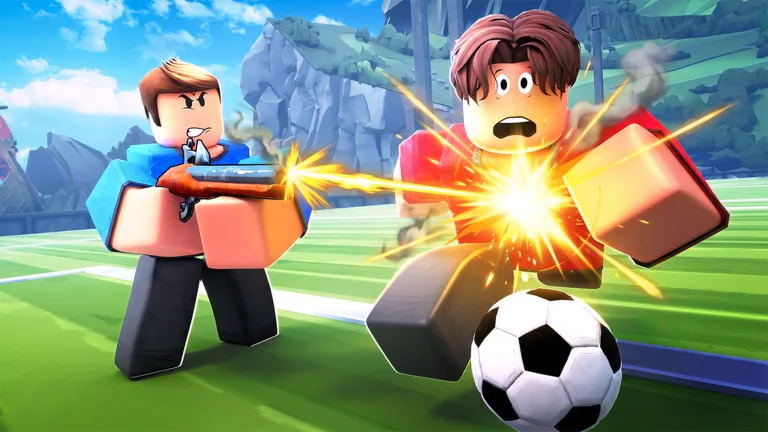
Maximize Your Performance: Best Illegal Soccer Settings Guide
Discover the best Illegal Soccer settings to dominate the pitch. Learn how to optimize your controls, camera, and gameplay for a pro-level experience.
Published: Illegal Soccer Wiki Editorial Team
Video Guide
This Illegal Soccer Guide Will Make You 10x BETTER 💪Table of Contents
Struggling to keep up with the fast-paced action in Roblox’s hit title? Many players find themselves getting outplayed simply because their configuration isn't tuned for competitive success, but mastering the illegal soccer settings can immediately elevate your gameplay. Whether you are a beginner trying to land your first goal or an aspiring pro aiming for the Hall of Fame, optimizing your setup is the essential first step toward total pitch dominance.
In this guide, we break down exactly how you should configure your game to gain a competitive edge. By adjusting your performance modes, keybinds, and item usage preferences, you can transform your experience from chaotic to controlled. Let’s dive into the technical details that separate casual players from the leaderboard elites.
Optimizing Your Graphics and Audio Settings
Before you even touch a ball, your game’s performance stability is paramount. In a game as reaction-dependent as Illegal Soccer, even a millisecond of input lag or frame stutter can mean the difference between a successful save and a conceded goal.
According to veteran players, the most crucial change you can make is enabling "Performance Mode." This setting reduces unnecessary visual clutter and smooths out your frame rate, allowing for more precise tracking of the ball and opponents.
Recommended Configuration Table
Setting
Recommendation
Why?
Performance Mode
Enabled
Reduces input lag and improves frame rates
Screen Shake
Disabled
Prevents visual distractions during intense play
Automatic Item Use
Disabled
Prevents accidental waste of limited resources
Assisted Passes
Enabled
Essential for beginners to learn passing flow
Beyond performance, managing your audio levels is a tactical choice. While crowd and music volumes are personal preferences, keeping them at a moderate level ensures you don't miss the distinct audio cues of a ball being kicked or an opponent using a power-up near you.
Mastering Controls and Keybinds
The default control scheme in Illegal Soccer is functional, but it isn't always the most efficient for high-level play. The game allows for extensive rebinding, and customizing these to suit your hardware can significantly improve your execution speed.
Customizing Your Curve Shot Input
The curve shot is widely considered the most dangerous mechanic in the game, but many players struggle to execute it because the default "Middle Mouse Button" is often awkward to click while moving. You can easily rebind this in the settings menu.
Tip
Pro Control Tip
Consider binding your "Curve" ability to a side mouse button or a convenient keyboard key like 'R' or 'C'. This allows you to maintain full movement control while simultaneously applying the curve, making your shots much harder for the goalkeeper to predict.
Essential Movement and Action Keys
Your keyboard layout should prioritize accessibility for your most-used actions. Here is how you should organize your inputs for maximum efficiency:
Action
Suggested Key
Priority
Curve Shot
Side Mouse / R / C
High
Flick Ball
Q
High
Pass
RMB
High
Lob Shot
F
Medium
Item Use
Z (or mouse side)
Medium
Why Item Management is a Game-Changer
While many new players focus entirely on their shooting ability, experienced users know that item management is the "cheat code" of the game. If you have "Automatic Item Use" enabled, you are likely wasting your best power-ups at the wrong time. Disable this immediately to take manual control of your strategy.
According to official developer updates, items are designed to be tactical assets. Using a "Force Field" or "Supercharge" at the right moment can turn a defensive deadlock into a scoring opportunity. Always aim to carry a mix of offensive and defensive items to remain versatile regardless of your team's position.
Top Beginner Item Picks
Energy Drink: Essential for maintaining stamina during long rallies.
Supercharge: Provides that extra kick power needed to bypass deep-set goalkeepers.
Magnet: The ultimate tool for goalkeepers to steal the ball from attackers.
Advanced Gameplay Mechanics
Once your illegal soccer settings are dialed in, it is time to refine your actual mechanics. The game features a unique stamina system where every action—from dribbling to tackling—drains your energy. Beginners often make the mistake of sprinting until their bar is empty, leaving them defenseless when the ball changes hands.
Stamina Consumption Breakdown
Tackle: Drains a full bar (use sparingly).
Dribble: Drains a full bar (use for speed boosts after a tackle).
Kick: Interrupts recovery (plan your shots).
Pass/Lob: Drains a quarter of a bar (best for team play).
Always aim to keep at least two to three bars of stamina in reserve. If you are caught empty, you are essentially a sitting duck for any opponent with a speed-boosting item.
Understanding the Goalkeeper System
A common point of confusion is the goalkeeper role. Unlike other soccer games, there is no "goalkeeper" class. The role is entirely positional. The moment you step into the rectangular zone near your own goal, your controls automatically shift to defensive mode, allowing you to catch, punch, or dive.
Community reports emphasize that staying out of the goal zone unless you are the designated defender is a vital habit. If you enter the zone while trying to clear the ball, you might accidentally lose your offensive shooting controls, leaving your team vulnerable to a counter-attack.
Frequently Asked Questions (FAQ)
How do I change my Illegal Soccer settings?
Open the in-game menu and navigate to the "Settings" tab. From there, you can adjust your graphics, audio, and rebind your keys—including the critical curve shot key—to better suit your playstyle.
Why should I disable Automatic Item Use?
Keeping this setting enabled causes the game to use your items automatically, often at inefficient times. Disabling it allows you to save your items for key moments, such as using a "Supercharge" during a breakaway or a "Magnet" as a goalkeeper.
What are the best settings for a beginner?
For starters, enable "Performance Mode" for smoothness, keep "Assisted Passes" enabled to help with passing accuracy, and rebind your "Curve" to a side mouse button or a key you can reach easily without sacrificing movement.
How does the Ranked mode affect my settings?
In both Legal and Illegal Ranked modes, your settings carry over, but the gameplay pace changes significantly. In Legal mode, where items are banned, your mechanical skills—like dribbling and positioning—become even more important than your item loadout.